Android Studio Detailed Setup 2023
Android Studio runs on Java, so we install JDK 8 first. Step by step, with screenshots.
Since Android Studio runs on Java, we need to download the JDK 8 kit. You can install JDK 8 by following the steps below.
Installing JDK 8
After clicking it, paste the path we copied as shown below and name it JAVA_HOME. If you did it right, it will look like this.
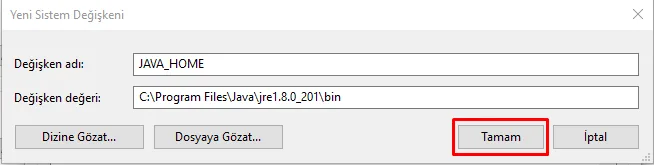
Done. You can move on to installing Android Studio.
We'll add the path we copied as JAVA_HOME. To do that, click the New button.
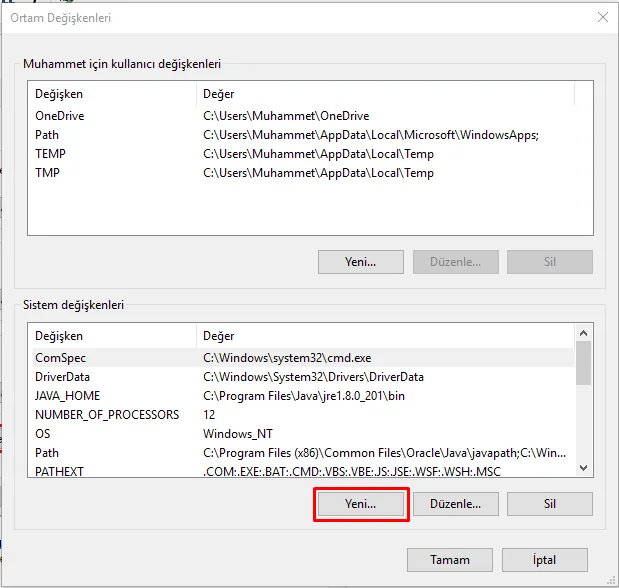
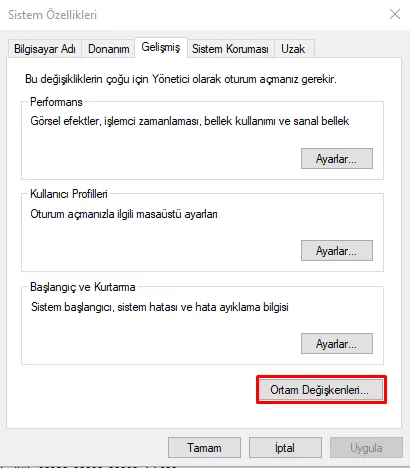
Click Environment Variables.
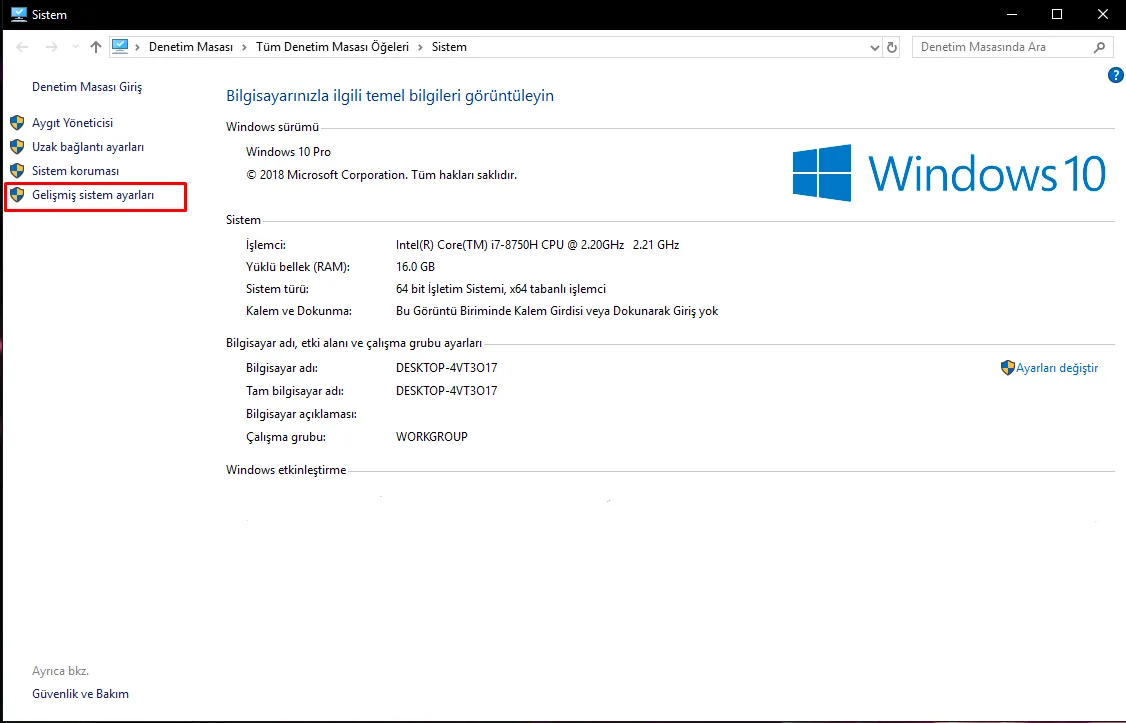
In Computer Properties, open Advanced system settings.
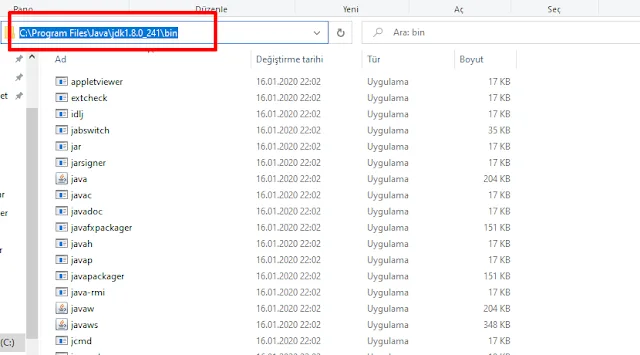
After opening the folder, go inside and copy the path of the bin folder. We need this for the Path section.
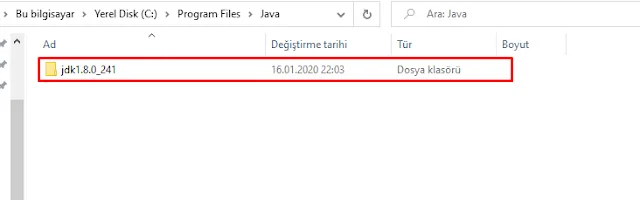
When you open the folder, you'll see this. Make sure it looks like jre.1.8.0_xxx
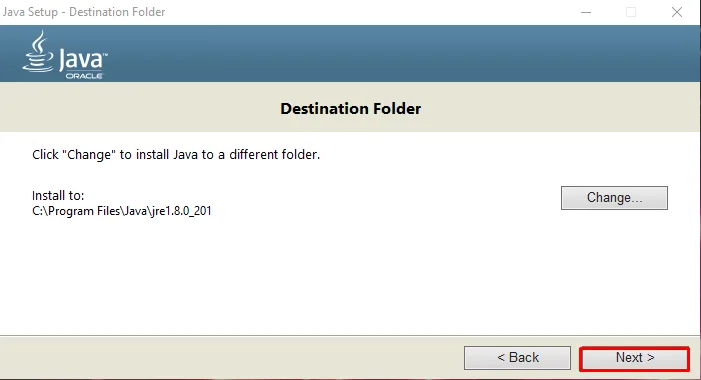
Confirm the installation steps and continue. Once it's installed, open the given path on your computer.
If you went with the defaults, the location will be:
C:Program FilesJava
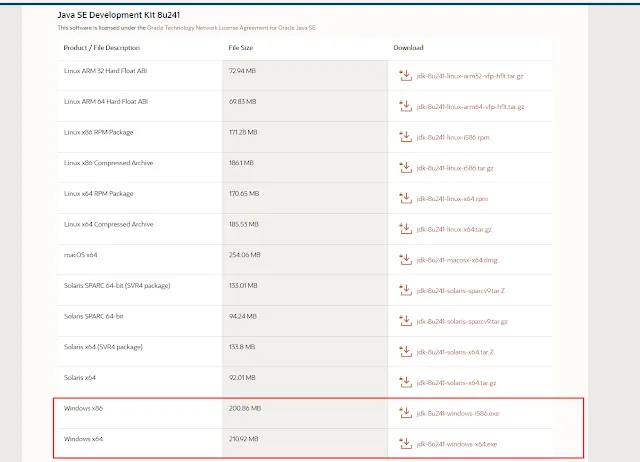
The page offers downloads for different operating systems, so pick the one that fits you. I'll go through it on Windows.
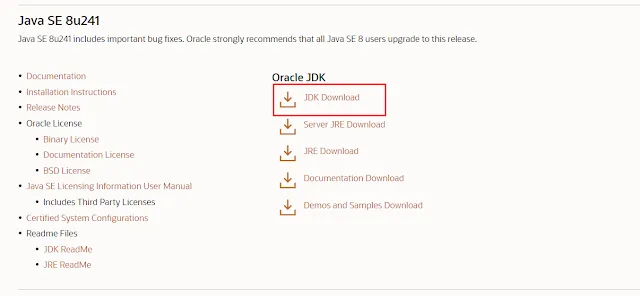
Open the JDK download site (Click to go) and click JDK Download under Oracle JDK.
Installing Android Studio
Follow the steps below to install Android Studio.
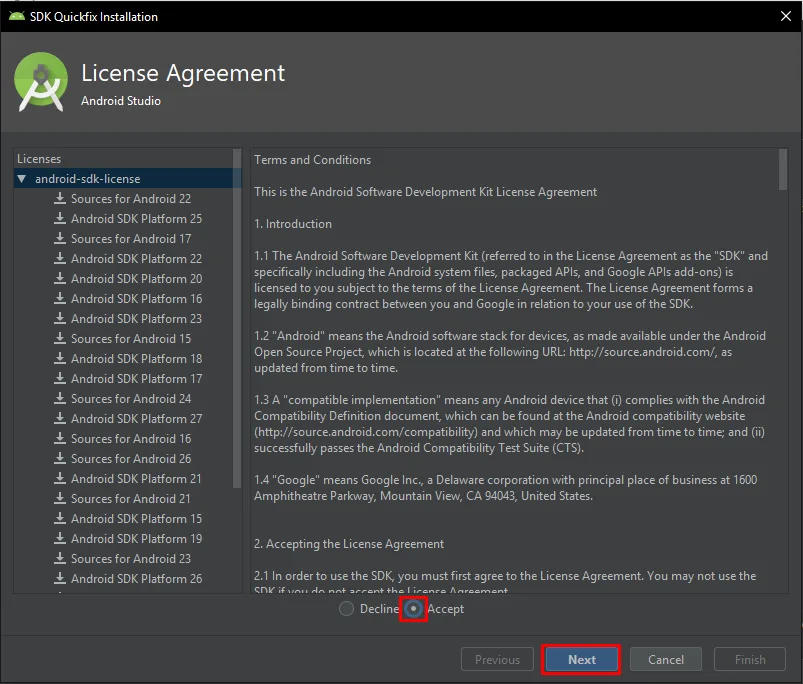
Accept the prompts and continue.
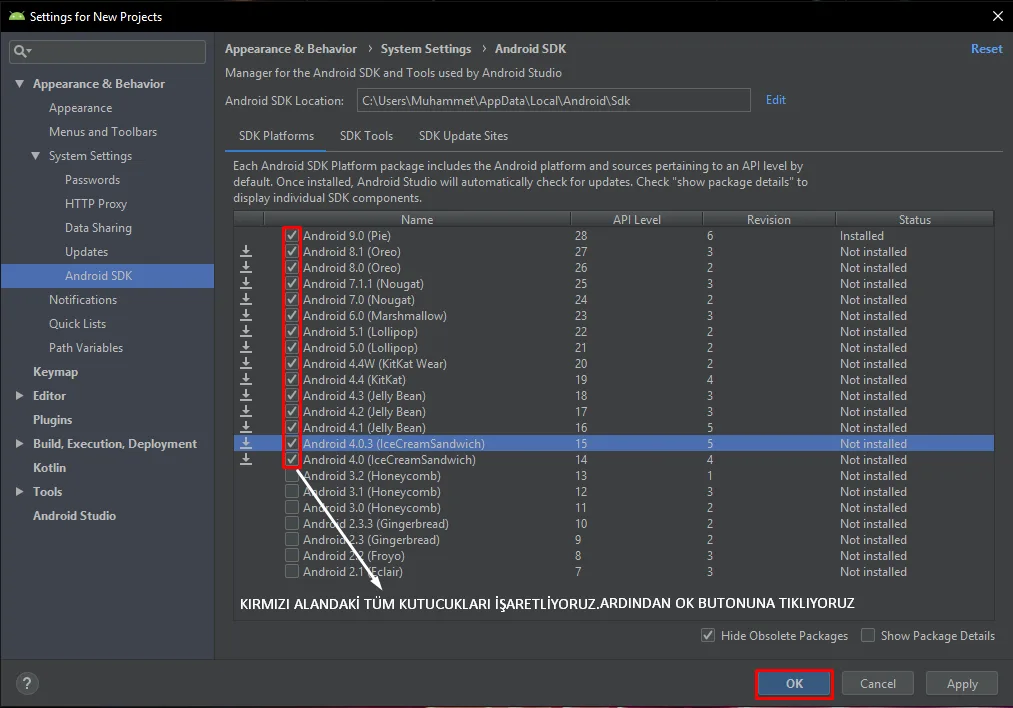
Select the Android versions. These are the versions you'll be able to build apps for and run on the emulator. I recommend downloading 4.4 and above.
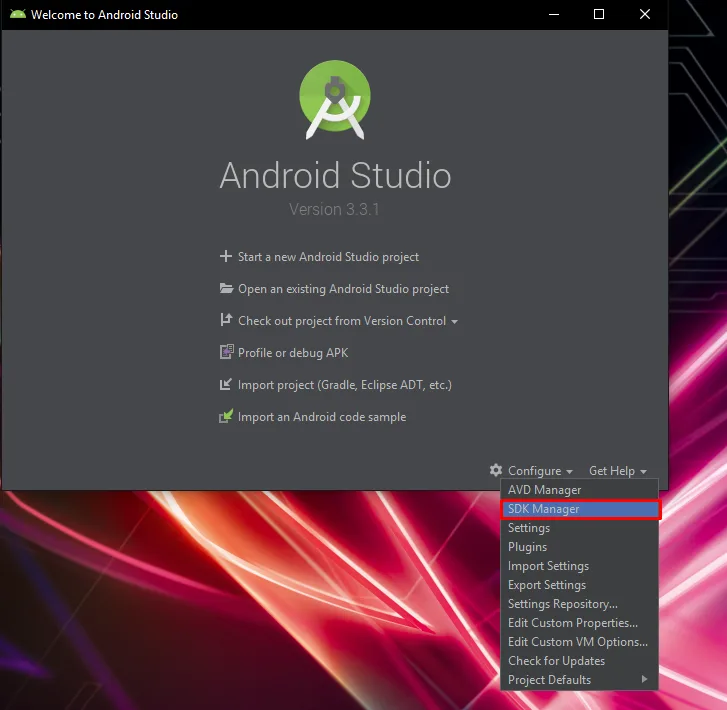
After the installation, open Android Studio and open the SDK Manager as shown in the image.
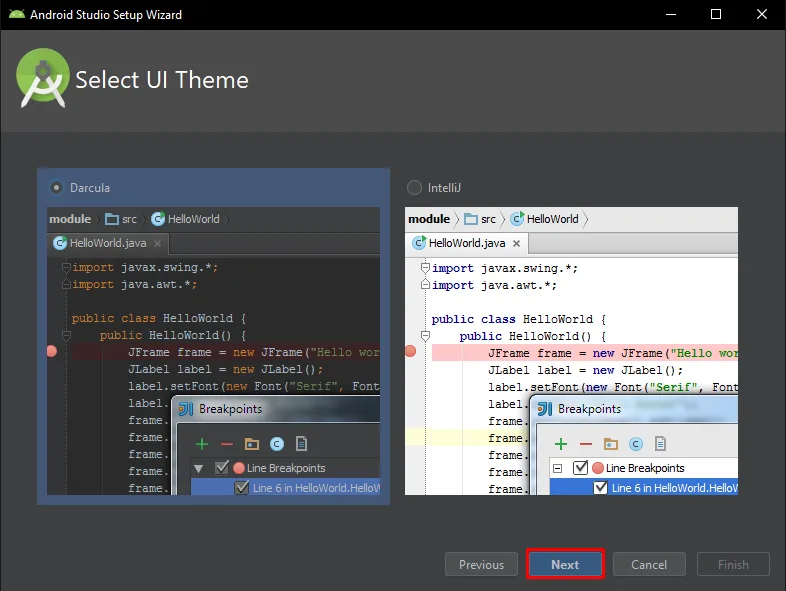
When the installation finishes, choose the app theme. Then press Finish to complete the setup.
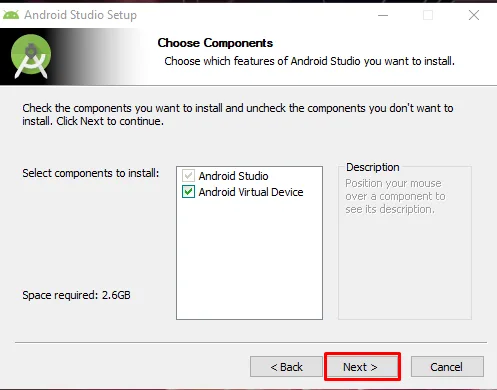
Open the downloaded file to start the installation. Make sure Android Virtual Device is selected!
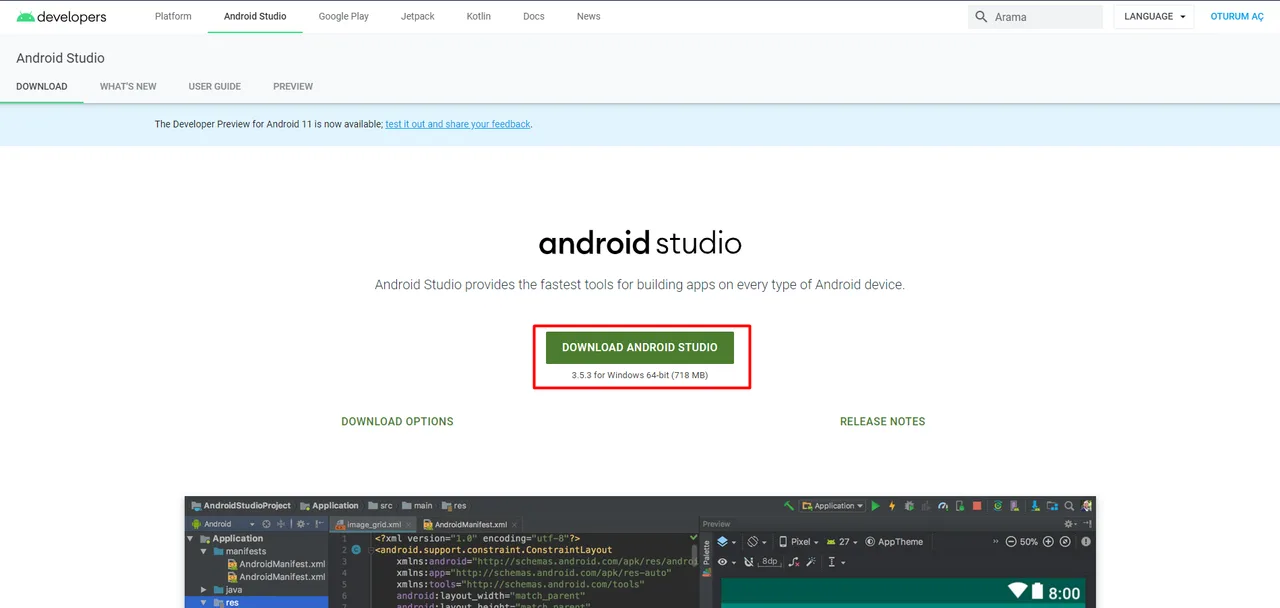
Download the installer from the Android Studio page (Click to go).
THAT'S THE WHOLE SETUP. HAPPY CODING!
Note: If the emulator wasn't created automatically, open the AVD Manager from the same place as the SDK Manager and create a virtual device. If it then gives a HAXM error, on Intel machines you need to enable virtualization in the BIOS. If you have an AMD processor, open the AVD section in Android Studio's settings, download Android Emulator Hypervisor (AMD), and it should run without problems.
Comments 0
No comments yet. Be the first.
Leave a comment