Reading Incoming SMS in a React Native App
Permissions and code to read SMS verification and password reset codes automatically in an Android app.
Reading incoming SMS messages in a React Native app
In our Android app, for SMS verification, password reset codes and many other SMS flows, we can read the incoming message while the user is in the app and fill in the verification code instantly, which makes things easier for the user. The library that lets us do this is react-native-otp-verify.
You can install the react-native-otp-verify library in your React Native app like this:
npm install react-native-otp-verify --save or
yarn add react-native-otp-verifyAfter installing it, put the code below on the relevant screen, and start listening by calling getHash(); startListeningForOtp(); in componentDidMount().
getHash = () => RNOtpVerify.getHash() .then(console.log) .catch(console.log); startListeningForOtp = () => RNOtpVerify.getOtp() .then(p => RNOtpVerify.addListener(this.otpHandler)) .catch(p => console.log(p)); otpHandler = (message) => { const otp = /(\d{5})/g.exec(message)[1]; console.log(otp); this.setState({ otp }); } componentDidMount(){ this.getHash(); this.startListeningForOtp(); } componentWillUnmount() { RNOtpVerify.removeListener(); }The 5 in /(\d{5})/g.exec(message)[1]; tells it how many digits the code in the message has.
If you've added the code above to your app, let's move on. That's really all there is to do; next we'll check whether it works in the app.
The easiest way to test is to send a fake SMS from the emulator, so that's what I'll do.
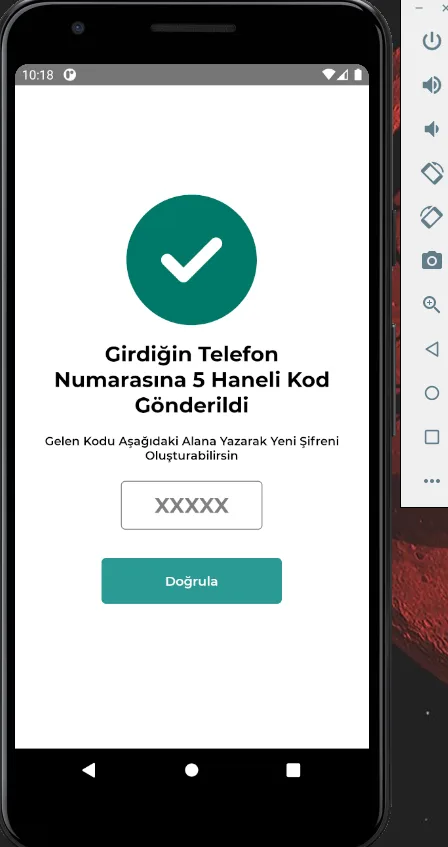
Our verification screen looks like this. In the emulator menu, click the three dots at the bottom right and switch to the Phone tab.
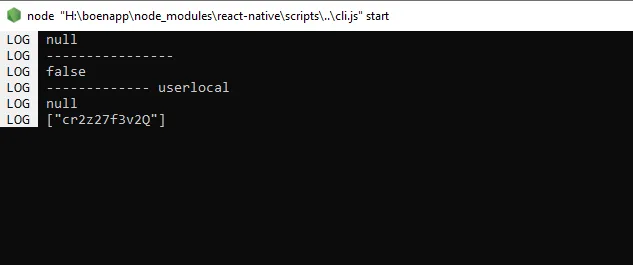
The code here is very important for us. Write it down somewhere and keep it :)
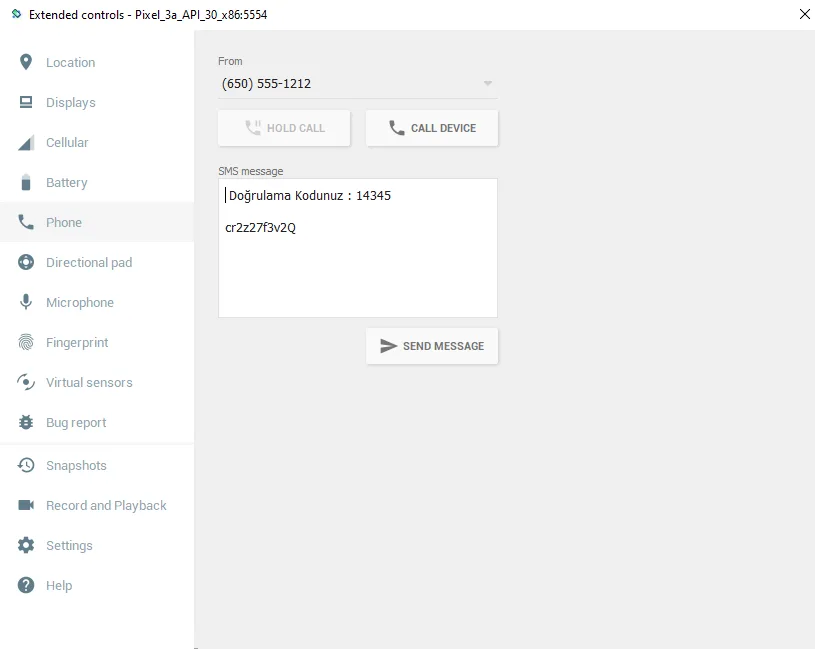
Write the code we copied into the message field so that it is at the very end, and send the fake SMS. Congratulations, the code 14345 should now appear where you set it in your app. One of the most important points here: the length of your verification code must match the 5 in /(\d{5})/g.exec(message)[1];. Once you've done all this, I'd suggest wrapping this code in a try/catch block so the app doesn't crash on an error.
If you follow all these steps, you can use the library without problems. I hope this helped. Happy coding!
Comments 0
No comments yet. Be the first.
Leave a comment